Distributed Cloud AWS VPC Site
In additional to using the Distributed Cloud WAF from an F5 Regional Edge / PoP location you can also deploy a “Cloud Mesh” node that enables you to access networks that are not directly connected to the Internet and/or enforce WAF policies locally within the local network.
When we deploy Cloud Mesh outside of a Regional Edge we refer to these locations as “Customer Edge”. In the following exercise we will review what the process is to deploy a Customer Edge. In our existing lab environment we have already deployed a shared Distributed Cloud AWS VPC Site.
Once a Distributed Cloud node has been deployed into a Customer Edge it help provide two additional topologies for Volterra WAF protection.
Enabling Distributed Cloud to protect a resource from the Regional Edge (additional DDoS protection) that is not directly attached to the internet.
Allow Distributed Cloud to provide WAF protection for “internal” and/or “local”
Exercise 1: Introduction to Distributed Cloud AWS VPC Site
Start in Distributed Cloud Console and find the “AWS VPC Sites” menu item.
From the top left “Select service” and look under “All Services”->”Cloud and Edge Sites”
Click on “AWS VPC Sites”
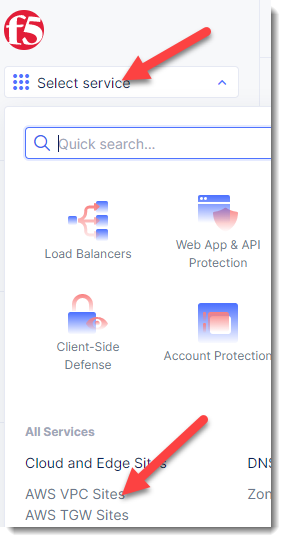
Find the “student-awsnet” site
In this lab environment we have already deployed a shared AWS VPC Site that we will use in this lab. Click on the “student-awsnet”
You will be able to observe several metrics about the health of the site.
In this deployment a Cloud Mesh node has been deployed into an existing VPC in our shared AWS lab environment.
Browse back to “AWS VPC Sites”
Cloud Mesh nodes can also be deployed into VMWare and KVM environments as well through a site registration process.
Exercise 2 (Optional): F5 Distributed Cloud Simulator
During this lab we will not deploy a new AWS VPC Site. If you would like to learn more about deploying an AWS VPC Site via Volterra you may want to try using the following F5 Volterra Simulator:
-https://simulator.f5.com/s/cloud2cloud_via_sites_brownfield
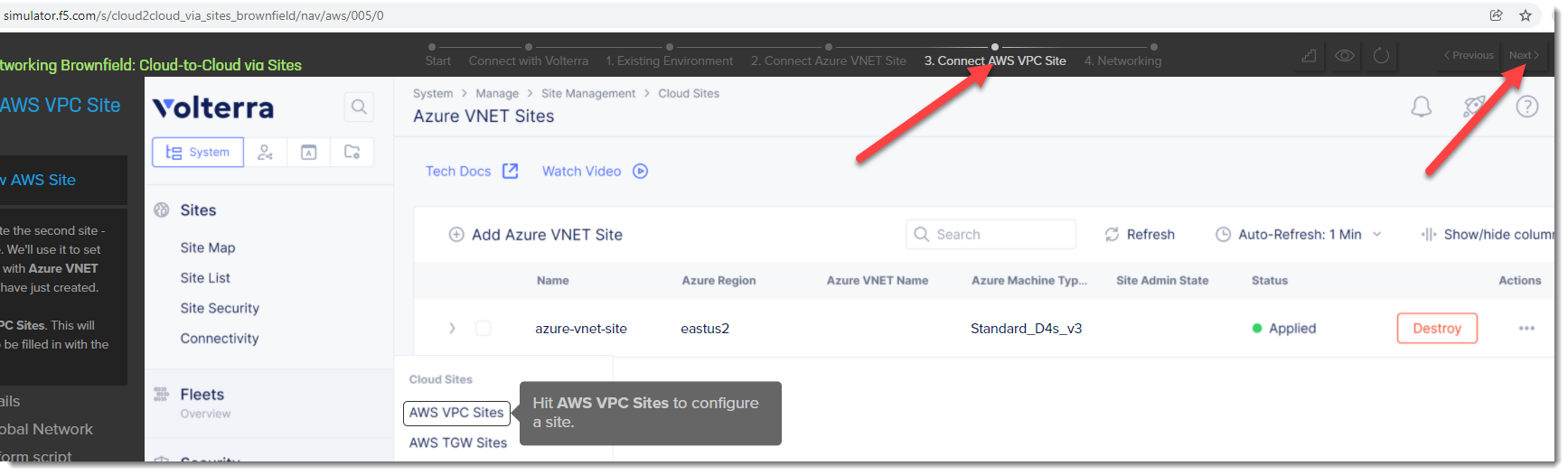
You can emulate the steps that were used to create the Volterra VPC Site in the lab environment by starting with the “3. Connect AWS VPC Site” https://simulator.f5.com/s/cloud2cloud_via_sites_brownfield/nav/aws/005/0
Clicking on the “Next” button in the top right will allow you to see similar steps that were used to create the site.